Monday, 25 May 2015

Flats and Apartments Home Security

Keep your flat and apartment secure with these handy home security tips!

1. Get the locks changed
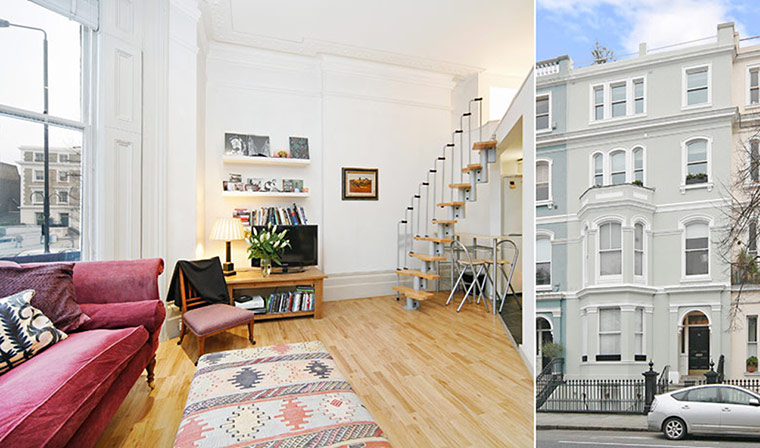
Home security tips for flats and apartments
When moving into a new flat or apartment it is important that you have the locks changed. Failure to do so could result in your home being vulnerable to a break-in by someone who may have obtained a key during the previous ownership or tenancy. If the property is rented always make sure you seek the landlord’s permission before changing the locks.

2. Communal door security

When evaluating the security of the communal entry to your flat or apartment building always make sure that fire regulations take precedence and if you are in doubt of this the Police advise contacting your local Fire Officer and your local police Crime Prevention Officer.

3. Fit a wireless alarm

It is always a good idea to think about what additional home security can be fitted to ensure you are taking the necessary precautions to protect your home and equally as important yourself. As part of the ‘Easy Fit’ range, Yale has developed an alarm specifically designed for those living in a flat or apartment. The Yale Easy Fit Apartment Alarm is a keypad operated system that when triggered a loud internal siren will sound and alert others of an intrusion.


4. Fit a letterbox guard

A letterbox guard or cage will help to prevent an intruder from using a letterbox to gain access to your flat or apartment. It will also help to prevent a method used by burglars to gain entry called ‘key fishing’ where they will use some sort of makeshift device, usually made from household items, to fish your keys from your door lock or where they are hung up.

5. Fit a door viewer

Have a door viewer fitted so you can see who is calling before opening the door which helps you to keep out any unwanted visitors.      


Monday, 18 May 2015

Top Five Home Security Products

Protect your home with these handy home security products.


The Philips Hue Wireless Bulbs Starter Kit contains everything you would need to control the lighting in your home from a device such as a smart phone or table.

Hue lights, bulbs and LED strips allow homeowners to control the lighting in their home via the Hue app (Free). The Hue app allows the user to turn the lights on and off, adjust brightness and change the colour all from your smart phone and tablet. Lights can even be automated to turn on and off at times that suit you which acts as a great burglary deterrent.
Philips Wireless Bulb Home Security product

2. Yale Easy Fit Alarm Range (ranges from around £150 - £500 dependant on model) 

Yale has designed a range of alarms called the ‘Easy Fit Range’ which allows homeowners to easily install a DIY home alarm system. Each product in the range harnesses pre-programmed wirefree technology.  The range is available in four different kits, alongside a range of accessories so that you can tailor it to suit the security of your home.


The Ring Video Doorbell is a wireless doorbell that allows you to answer your door from your iOS or Android phone by connecting to your WiFi. A wide angled HD camera with motion detection allows users to see who is at their door and sends an instant alert to your smart phone.  


4. Fake TV (£19.99)

Fake TV is a home security product which gives the illusion that someone is at home watching TV. The home security product is programmed to automatically turn on when it is dark outside to act as a burglary deterrent.

Fake TV Home Security product


The wireless iSmartAlarm Home Security System puts you in control—thanks to do-it-yourself in-home installation and self-monitoring and control from the iSmartAlarm app on your iPhone, iPad, or iPod touch. Even better, there are no monthly fees or contracts.

Apple's iSmartAlarm Home Security System


Monday, 11 May 2015

Top Five Home Security Apps

Be one step ahead with the security of your home by downloading these handy home security apps for iOS and Android.

1. AtHome Camera (Free)

AtHome Camera available at the App StoreThe AtHome Camera is an application for iOS and Android which allows the user to remotely turn a PC, smart TV/set-top box, smart phone and tablet into a home monitoring system, enabling you to keep an eye on your property through live streaming when you aren’t at home. The handy app will alert you wherever you are if motion is detected within your home whilst you’re away.

Use the AtHome Camera App for Home Security


2. Manything Home Security Webcam (Free)

Home Security App Manything
The Manything application allows you to turn any iOS device into a free home monitoring camera. The app features live streaming, motion alerts, remote control and cloud recording. Similar to the AtHome Camera this application will allow you to keep tabs on your home when you’re not there or in another room.
Use the Manything App to turn your smartphone into a webcam


3. Yale Crime Watcher (Free)

Yale Crime Watcher App
Find out more about the burglaries that have occurred in your local area with the Yale Crime Watcher application. Simply input your postcode for current burglary statistics within a mile of your home (during a one month period). All statistics are powered by the Police API system which means all the information given is up to date and accurate. The app also gives you tips and advice on how you can secure your home using Yale products.

Find out about the crime in your local area with the Yale Crime Watcher App

Tile App4. Tile App (Free) 

The Tile application is not only a handy app but is also a fantastic product which allows you to locate anything that you affix the tile (approx £20) to such as keys and valuables, what’s more if your stuff is lost or stolen as long as the tile is still with it you can ask other Tile users for help locating it!

Attach the tile app to valuables so you don't loose them

Yale Home System App5. Yale Home System (Free) 

To use this app you must have a Yale ‘Easy Fit Smartphone Alarm System’ installed in your home. This handy app allows users to control their Yale alarm from their smart phone.

Users are able to control the following remotely:
  • Arm and disarm
  • Activate accessories
  • Show event reports
  • View camera captures
  • System programming


Monday, 4 May 2015

Protect your home from being hacked

Protect your home from being hacked Over the last few years technology has advanced to encompass applications that allow you to control every aspect of your home including the security such as the locks on your doors and windows, making homes literally smarter. Whilst this Smart Home technology may give you more control of your home in one simple application or device, it can also give hackers the key to your home and personal life.

Protect your home and your devices from being hacked with these handy tips:

1. Secure your WiFi

When you have your WiFi installed by your provider it is advisable to change the default login name and passwords and turn on WPA or WPA2 encryption (if you haven’t already done so it is worth doing this now). Instructions for your router may vary; so visit the manufacturer’s website to find out how.

2. Ensure the firmware for your router is up to date

Again this varies according to the make and model of your router. The manufacturer’s website will have information on the best practice for updating any firmware; some may even allow you to set an automatic update.

3. Register your new router

Register your router with the manufacturer, either online or via post so that you will be notified when a security update is available.

4. Install antivirus software

Any PCs, Macs, tablets or smart phones in your home should be protected using antivirus software. Some providers offer a multi-device package such as Norton’s ‘360 Multi-Device’ that will protect all the gadgets in your home.    

Although malware that targets smart phones and tablets is rare, it is still worth ensuring that you are protected if the worse was to happen. Browse through the top iPhone security apps or alternatively browse the top Android security apps to find one that suits your device.

Make sure that any antivirus software you do install is up to date.

5. Use strong passwords

The majority of devices can only be protected through a password which is why it is important to ensure that the one you are using is strong and secure.

Learn how to create a strong password with Google...


6. Secure the security inside your home

Whilst it is still very important to protect your online security it is also just as important to think beyond the internet and think about how you can protect your home. Cameras are a great way to protect your home but if they are operated via your WiFi or through an IP address it is definitely worth taking the above steps to ensure they are secure. By not ensuring these are secure you could be allowing a burglar to use your own security equipment to spy on you.

Remember any technology you use to secure your home can be hacked so make sure you take the necessary steps for not only your home security but also your peace of mind.


Monday, 27 April 2015

Did you change the locks after you moved home?

Surprisingly many of us fail to change the locks after moving home and are subsequently unaware of the fact we are potentially leaving our new home vulnerable to a break-in by anyone who may have obtained a house key during the previous ownership.

Get your locks changed after moving home
In 2013 we carried out a survey and found that 74% of homeowners in Britain didn’t call a local locksmith to change the locks when they moved into a new property. All participants in the study were asked whether they had changed the locks to their new home within a fortnight of moving in. The study found that people located in the south of the UK were more security conscious than those living in the North and Scotland, 35% of Southerners said they did get their locks changed, compared to just 20% of people located in the North of England and Scotland.

The majority of insurance companies will encourage you to change the locks on your new home as a basic home security measure as many policies will not pay out if an intruder lets themselves in with a key, usually a policy will specify there must be clear signs that a break-in has occurred. Therefore by not getting your locks changed after moving home you could run the risk of invalidating your home insurance policy.

Changing your locks after you have moved house is easy!

Simply call a local locksmith on 0800 035 0451 and pre-book a locksmith to change the locks on your new home.


Monday, 20 April 2015

The Future of Home Security

Home Security is literally getting smarter!


As technology has advanced increasingly over the last few years we are seeing more and more advances in the way we can secure our homes from an intruder.

Homes are getting smarter
For years we have dreamed of the idea of a fully functional smart home, the idea has even been depicted in movies i.e. the technology depicted in Back to the Future II such as keyless entry. Although the movie may not have exactly predicted the future for us i.e. hover boards, you may be surprised by the kinds of technology that are available to homeowners in 2015, right now you can control your heating and lighting from your smart phone or even text your fridge.

According to Mashable: “Right now we're seeing a myriad of independent smart appliances, but eventually these products will be programmed to work in tandem ... hence, the "Smart Home." Yes, there are smart Samsung refrigerators, and yes, there are smart Sony televisions -- but can they, or will they ever, be able to communicate with each other? If and when they do, the adage "If these walls could talk" will take on a whole new meaning.”

Already we are seeing ‘smart locks’ that allow a homeowner to open their front door using just their smart phone. Some of which even allow the user to let in guests when they are not at home. The ‘August lock’ was launched by an American Company in 2014 and is a keyless entry system which uses Bluetooth.

The August Lock allows home owners to enter without a key

As well as different types of keyless entry we are also seeing numerous home security apps being introduced to the market which allow you to control different parts of your home from either your phone or tablet. Although these sound great there are some reservations that have been raised by technology experts, in 2014 a study was carried out by HP to see whether these apps could be vulnerable to hackers. The security Company found that the biggest concern with these types of apps is the fact that the majority (8 out of 10) didn’t require consumers to use hard-to-hack log-ins which could leave their home vulnerable to being hacked.

To infinity and beyond!

In 2014 Apple announced that they are working to develop a product called ‘Homekit’ which will allow homeowners to control lights, locks, cameras, doors, thermostats, plugs and switches. Although this is still very much in development other manufacturers are already building products to encompass Apple’s ‘Homekit ‘.

The future of home security with Apple's Homekit

Who knows what the future holds for our home security but we are sure it’s only going to get smarter!


Monday, 6 April 2015

Home Security and Home Insurance Requirements

When you take out a policy for your home with any insurer they will usually ask you to ensure that the security of your home meets their requirements.


Home Security and Home Insurance RequirementsWhy is it important to meet my home insurance provider’s requirements?

When assessing your home security it is important to consider which steps you should take to ensure you are meeting the requirements set by your home insurance provider. This is important as failure to meet these terms and conditions could result in your home insurance policy being invalidated should the worse happen. 


The Crime Prevention Website gives the following as examples of the requirements the majority of home insurance providers will ask a policy holder to meet *:

*Please be aware the examples given may differ to your own policy, therefore before making any changes to the security of your home it is advised to check your current policy for any requirements set by the insurance provider.

Final exit door i.e. your front door – The majority of policies will require that your final exit door (i.e. the main external door you use to access your home such as your front door) should have the following fitted:

  • Is fitted with a mortice deadlock with at least 5 levers; or is fitted with a lock conforming to BS3621: 1998 or to a higher specification.

  • Additionally where a door is double-leaf, the first closing leaf must be fitted with top and bottom key-operated security bolts.  Bolts must be positioned vertically so as to enter the framework of the door, not the opposing leaf.

Single external doors (such as a porch door) – A single external door should be fitted with one of the following:

  • Fitted with key-operated security bolts at the top and bottom.

  • Fitted with a mortice deadlock with at least 5 levers.

  • Fitted with a lock conforming to BS3621: 1998 or to a higher specification

French/Double doors – French or double doors should be fitted with two key operated security bolts at the top and bottom of the final closing door or, if not rebated, to both doors.  The bolts must be positioned vertically, so as to enter the top and bottom of the door frame, not the opposing leaf.

Sliding Patio Doors – In order to adhere to your home insurance policy, sliding patio doors should be fitted with an ‘anti-lift device’ such as the ERA Patio Door Bolts in order to prevent the doors from being lifted off their running tracks by an intruder when they are closed. They should also have either of the following fitted:

  • Fitted with two key-operated patio door locks on the inside of the doors at the top and bottom of the frame.

  • Fitted with a key-operated multiple locking system having at least two locking points.

Windows – All opening ground floor/basement windows and all windows that are accessible from another part of the exterior such as a roof, wall or balcony must have at least one key operated lock fitted.